Beautiful screen recordings.
For Windows and macOS.
Create beautiful screen recordings and screenshots for product demos, tutorials, and explainers in minutes, not hours.

Instantly upgrade your screen recordings
Motionik combines recording, auto zoom and editing in one streamlined tool. Create polished product demos, tutorials and promo videos in minutes without needing multiple apps.
Hours of manual editing required
Studio-quality in minutes
Auto Zoom That Follows Your Actions
With Motionik’s cursor tracking, your recordings gain natural, fluid animations that follow every mouse movement
Add Overlays to Enhance Your Videos
Easily add text, images, highlights, audio tracks and more to make your videos more engaging and informative
Audio tracks
Include background music or narration easily.
Texts
Add titles, captions, and annotations to your videos.
Images
Enhance your videos with logos, icons and graphics.
Content Masks and Highlights
Hide sensitive info with content masks and draw attention with highlights.
Cursor Customization with Smooth Animations
With Motionik’s cursor tracking, your recordings gain natural, fluid animations that follow every mouse movement
Click Animation Control
Control click animations to highlight interactions.
Record Webcam & Audio
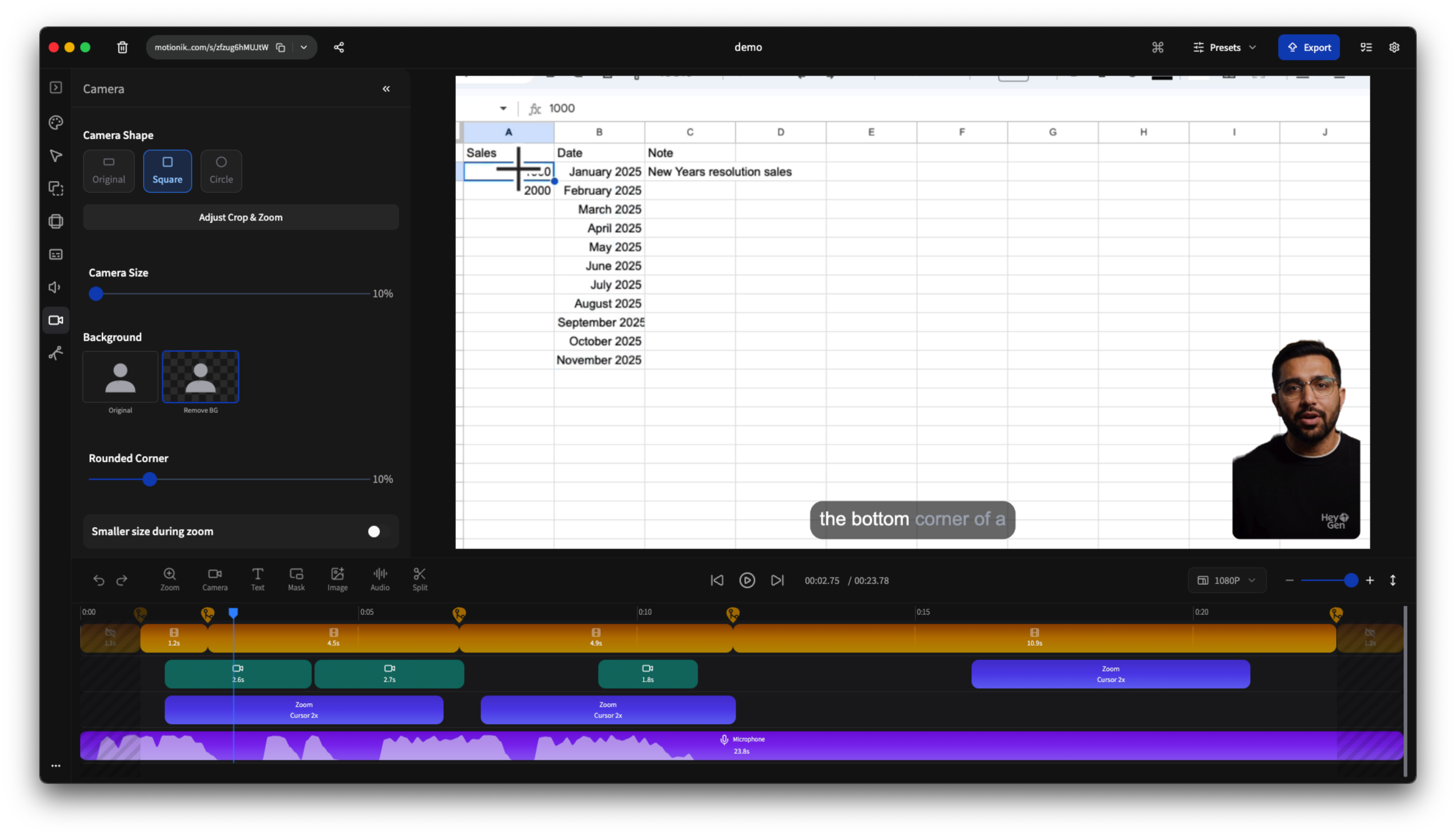
Motionik makes it easy to record with your webcam, microphone and system sound to make your recordings more impactful
Add Camera & Audio
Easily include webcam and microphone input in your recordings.
Control Camera Position
Place your camera feed anywhere on the screen.
Control Camera Timeline
Show or hide your camera feed at specific times during the recording.
Auto Camera Resize
Automatically adjust camera size based on zoom.
Remove Camera Background
Create distraction-free recording with seamless background removal
Adjust Camera Zoom, Crop & Mirror
Fine-tune your camera framing with easy zoom, precise cropping and quick mirroring controls
Fullscreen Camera
Bring attention to yourself when it matters most.
Record iPhone
Easily record your iPhone screen by connecting via USB. Perfect for app demos and tutorials.


Customize Appearance
Motionik gives you full control over how your videos look, from backgrounds to shadows and rounded corners. Create polished, on-brand recordings that stay consistent with your style and messaging.
Inset & Shadow
Creating depth and emphasis with inset shadows to highlight video element.
Rounded Corners
Softening the look of video elements with rounded corners for a modern feel.
Trim Video
Trim unwanted sections with precision and keep only what matters.
Background Controls
Adjust color, images, and spacing for perfect framing
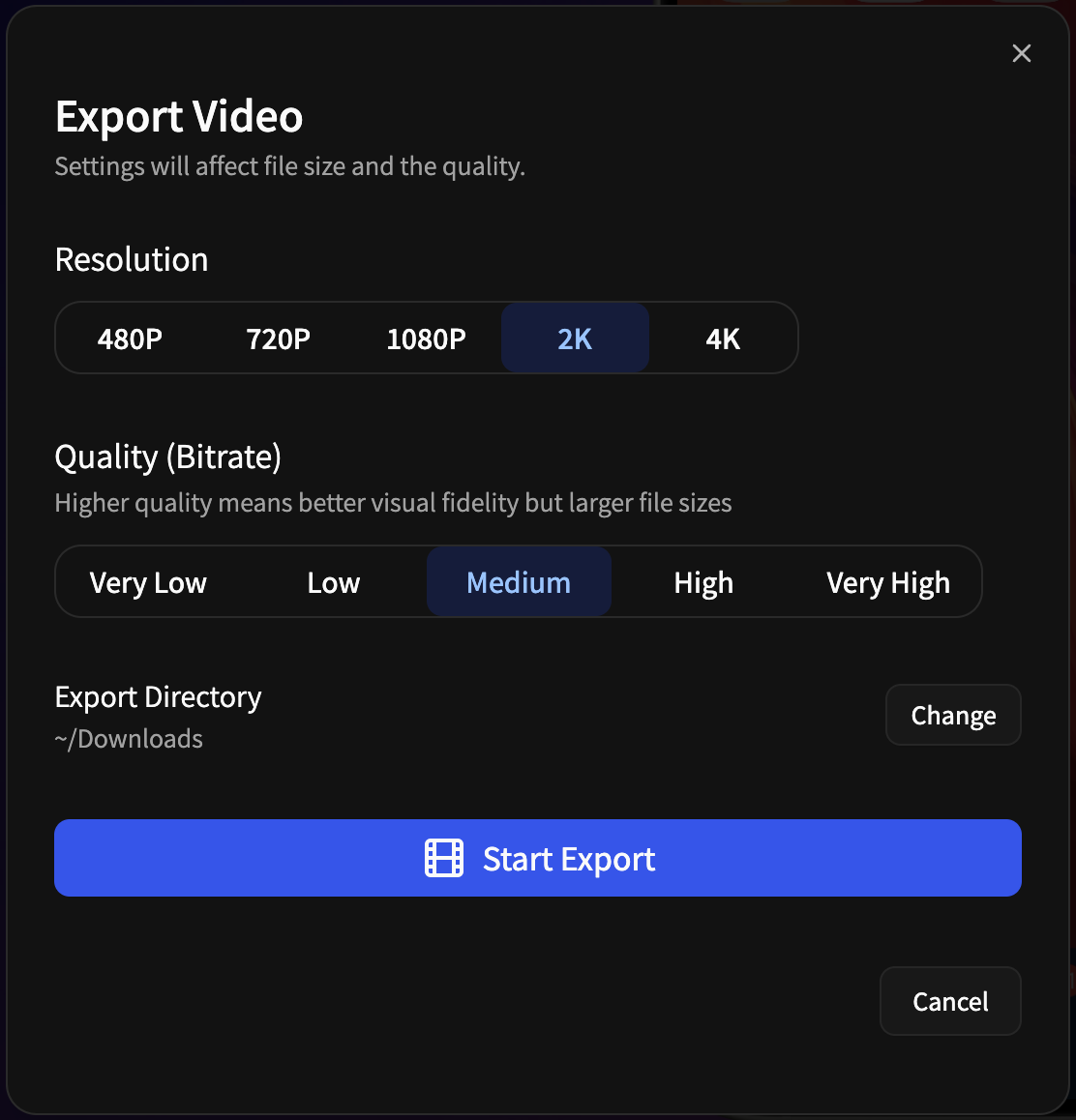
Export in Multiple Formats
Choose from a variety of export options to get the perfect video for your needs.
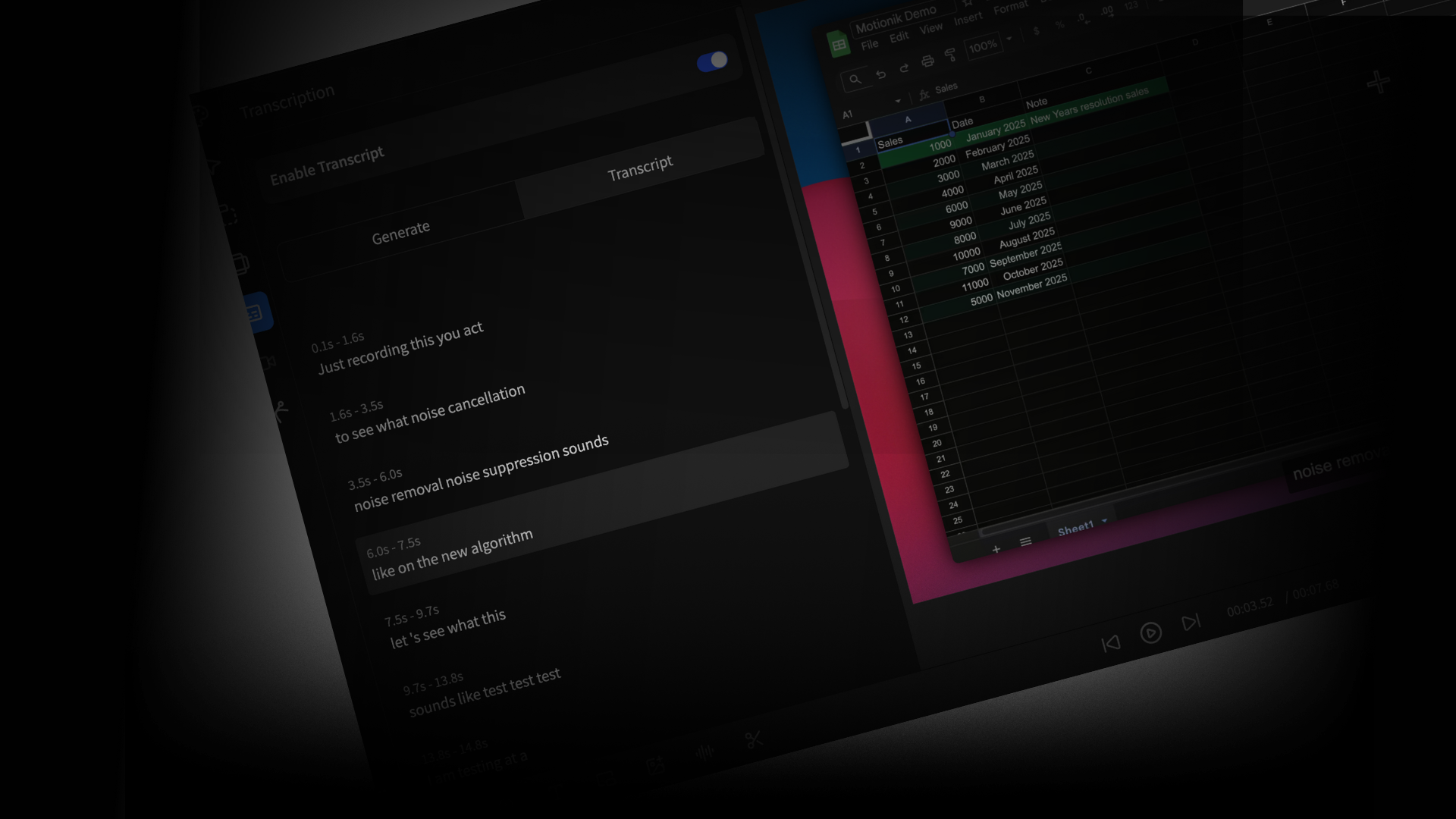
Generate Transcripts and Reduce Background Noise
Enhance your recordings with AI-driven noise reduction and automatic captions.
Wait, There Is More
Discover additional tools designed to elevate your screen recordings to a professional level.
3D Zoom Effect
Add cinematic depth to your recordings with immersive 3D zoom transitions that captivate your audience.
Playback Speed Control
Speed up or slow down any part of your recording to keep viewers engaged and highlight key moments.
Motion Blur Effect
Add realistic motion blur to transitions and cursor movements for a smooth, cinematic feel.
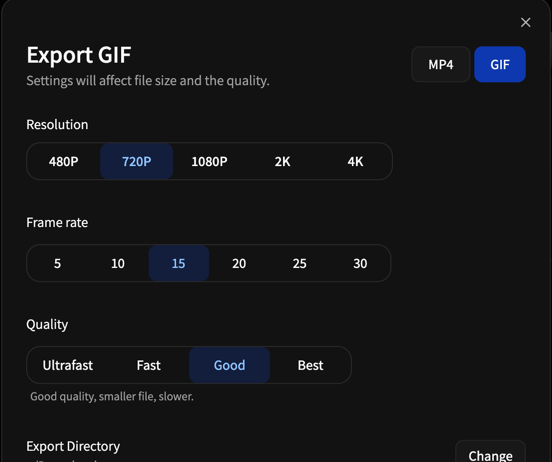
Mp4 & GIF Export
Export your recordings as high-quality Mp4 & GIFs, perfect for sharing on social media and documentation.
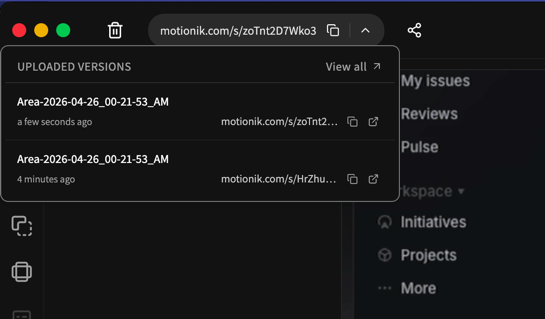
Shareable Link
Instantly generate a shareable link to your recording and collaborate with your team effortlessly.
Record and Edit Videos in One Simple Tool
An Intuitive recording interface & editor that lets you polish your videos without switching tools.

Everything You Need to Make Polished Videos
One app. Record, edit, zoom, export. No switching between tools.
Automatically zoom into key moments while recording.
Control zoom exactly when and where you need it.
Highlight your pointer with custom styles and effects.
Make every click stand out visually.
Cut out mistakes and keep only what matters.
Apply motion blur effect to cursor movements.
Include background music or narration easily.
Enhance your videos with logos, icons and graphics.
Hide sensitive info with content masks.
Draw attention to important areas with highlights.
Export videos in any format or ratio you need.
Save your video in multiple formats and qualities.
Automatically zoom into key moments while recording.
Control zoom exactly when and where you need it.
Highlight your pointer with custom styles and effects.
Make every click stand out visually.
Cut out mistakes and keep only what matters.
Apply motion blur effect to cursor movements.
Include background music or narration easily.
Enhance your videos with logos, icons and graphics.
Hide sensitive info with content masks.
Draw attention to important areas with highlights.
Export videos in any format or ratio you need.
Save your video in multiple formats and qualities.
Automatically zoom into key moments while recording.
Control zoom exactly when and where you need it.
Highlight your pointer with custom styles and effects.
Make every click stand out visually.
Cut out mistakes and keep only what matters.
Apply motion blur effect to cursor movements.
Include background music or narration easily.
Enhance your videos with logos, icons and graphics.
Hide sensitive info with content masks.
Draw attention to important areas with highlights.
Export videos in any format or ratio you need.
Save your video in multiple formats and qualities.
Automatically zoom into key moments while recording.
Control zoom exactly when and where you need it.
Highlight your pointer with custom styles and effects.
Make every click stand out visually.
Cut out mistakes and keep only what matters.
Apply motion blur effect to cursor movements.
Include background music or narration easily.
Enhance your videos with logos, icons and graphics.
Hide sensitive info with content masks.
Draw attention to important areas with highlights.
Export videos in any format or ratio you need.
Save your video in multiple formats and qualities.
Capture your entire screen in high quality.
Focus recording on a single app or window.
Select and record just the part of the screen you want.
Add your webcam feed directly into recordings.
Include crisp audio from your mic while recording.
Give your videos depth with stylish inset and shadows.
Replace or style your background for a polished look.
Round off video edges for a smooth, modern feel.
Add custom text overlays to explain or highlight.
Make your cursor and zoom movements smooth and engaging.
Get an automatic transcript of your recording.
Clean up background noise from your microphone audio.
Capture your entire screen in high quality.
Focus recording on a single app or window.
Select and record just the part of the screen you want.
Add your webcam feed directly into recordings.
Include crisp audio from your mic while recording.
Give your videos depth with stylish inset and shadows.
Replace or style your background for a polished look.
Round off video edges for a smooth, modern feel.
Add custom text overlays to explain or highlight.
Make your cursor and zoom movements smooth and engaging.
Get an automatic transcript of your recording.
Clean up background noise from your microphone audio.
Capture your entire screen in high quality.
Focus recording on a single app or window.
Select and record just the part of the screen you want.
Add your webcam feed directly into recordings.
Include crisp audio from your mic while recording.
Give your videos depth with stylish inset and shadows.
Replace or style your background for a polished look.
Round off video edges for a smooth, modern feel.
Add custom text overlays to explain or highlight.
Make your cursor and zoom movements smooth and engaging.
Get an automatic transcript of your recording.
Clean up background noise from your microphone audio.
Capture your entire screen in high quality.
Focus recording on a single app or window.
Select and record just the part of the screen you want.
Add your webcam feed directly into recordings.
Include crisp audio from your mic while recording.
Give your videos depth with stylish inset and shadows.
Replace or style your background for a polished look.
Round off video edges for a smooth, modern feel.
Add custom text overlays to explain or highlight.
Make your cursor and zoom movements smooth and engaging.
Get an automatic transcript of your recording.
Clean up background noise from your microphone audio.
Choose the plan that fits your needs
Unlimited recordings & exports
Screenshots — unlimited & watermark-free
Lifetime access & updates
All recording & editing features included
Export up to 4K quality
All recordings stored locally
Exports include Motionik watermark
No credit card required
No device limit
Pay once
Personal Devices
Up to 1 device
Yours forever, for personal use
Unlimited recordings & exports
Unlimited screenshots
Lifetime access & updates
All recording & editing features included
Export up to 4K quality
All recordings stored locally
No watermark on exports
Pay once, no recurring fees
Use on up to 1 personal devices
Unlimited recordings & exports
Unlimited screenshots
Latest updates
All recording & editing features included
Export up to 4K quality
No watermark on exports
All recordings stored locally
Use on up to 3 personal devices
Unlimited recordings & exports
Unlimited screenshots
Latest updates
All recording & editing features included
Export up to 4K quality
No watermark on exports
Public shareable link
Password protected shares
Cloud storage
Viewer engagements
Compare plans
| Features | FreeStart for free | Pay OnceGet lifetime access | AnnualBuy now | Solo CloudGet started | TeamGet started | BusinessContact |
|---|---|---|---|---|---|---|
| Unlimited recordings & exports | ||||||
| Export up to 4K quality | ||||||
| All recording & editing features included | ||||||
| Recordings stored locally | ||||||
| Mp4 & GIF | ||||||
| Generate chapters & captions | ||||||
| Noise reduction | ||||||
| Screenshot | ||||||
| No watermark on Screenshot | ||||||
| No watermark on exports | ||||||
| No account required | ||||||
| No recurring fees | ||||||
| No card required | ||||||
| Public shareable link | ||||||
| Password protected shares | ||||||
| Private shares | ||||||
| Team workspaces | ||||||
| Viewer engagements | ||||||
| Cloud storage | 50GB | 80GB/user | 150GB/user | |||
| Record in browser | ||||||
| Upload videos* | ||||||
| SSO/SAML* | ||||||
| Domain verification | ||||||
| Domain-restricted shares | ||||||
| Device limit | Unlimited | 1–3 personal devices | Up to 3 personal devices |
For Students & Educators
Loved by creators and teams
See why hundreds of creators choose Motionik to produce studio-quality videos.
Piotr
I have no idea why no one did it for so long. I needed such tool for years, every other was too expensive or inefficient to pay. You have really good quality soft. Great idea and even greater execution!
Imran
Founder & CEO
Smooth recording and that cursor zoom effect is pure gold for tutorials. Plus, their support team actually cares. 10/10!
Harris
Founder
I love how Motionik automatically zooms and focuses while I’m recording. It makes my videos look way more professional without any editing. It saves time and makes everything look clean and sharp.
Phil
CRO Expert
Very polished version so far love it. I think this will fly like cake!
MK Matt
Educator
I’ve been looking for something exactly like this for Windows. Finally someone made it.
Divyansh
Educator
Its really breeze and simply wonderful to get recording done in impressive way! Its truly world-class.
Have questions?
We got answers.
Can't find your answer?
Get in touch with us we are happy to assist you!
Download Motionik for Free
The all-in-one Screen Studio alternative for Windows and macOS to make polished video, faster than ever before.
 Download for macOS
 Download for Windows